Drafting, approval, scheduling and analytics — for every post and every channel you publish to, video included, in one flow.
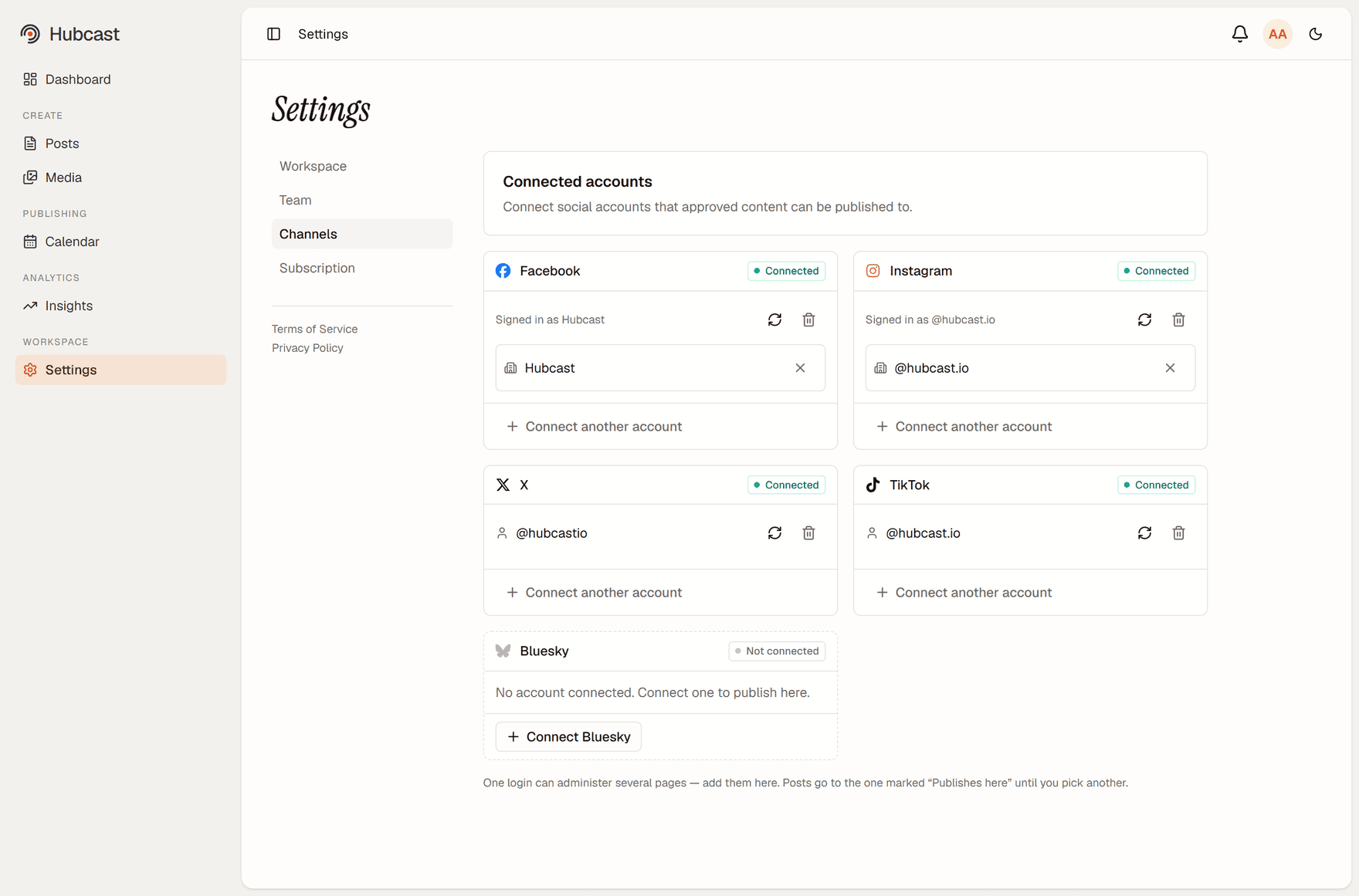
Facebook
Instagram
X
TikTok
Bluesky
Connect a login once; one login can administer several pages, and each is its own destination.
Publish to every channel from one composer
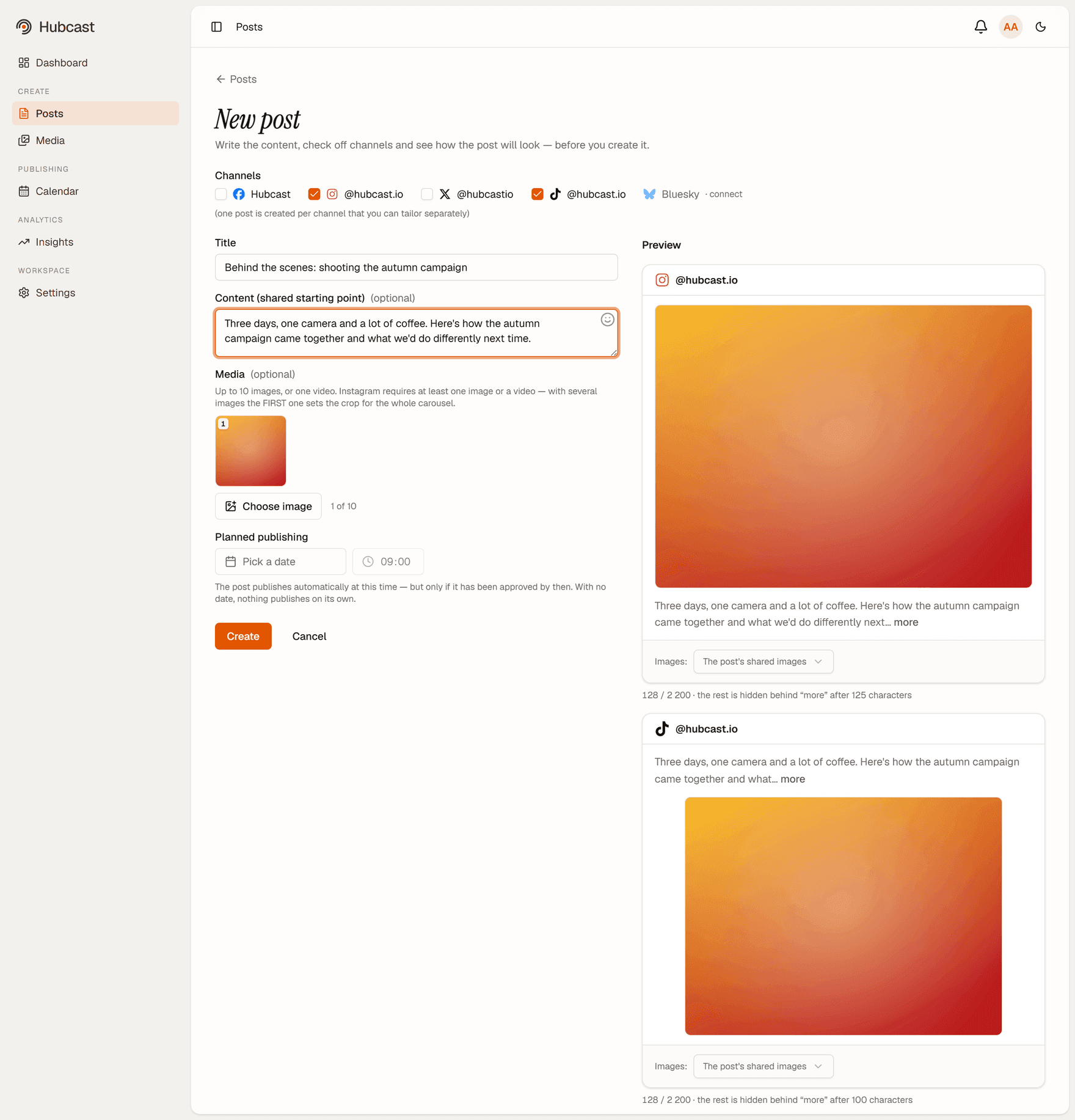
Write once, pick the pages it goes to, and Hubcast handles the rest. Post as a company page or as yourself — the composer shows exactly where each version is going before it goes anywhere.
Each channel publishes independently, so one platform rejecting a post never silently drops the others. When one fails you see which one, and why, rather than a single unhelpful error over the whole thing.
One composer, the channels checked off, and a per-channel preview before anything is created.
An approval step you can actually turn on
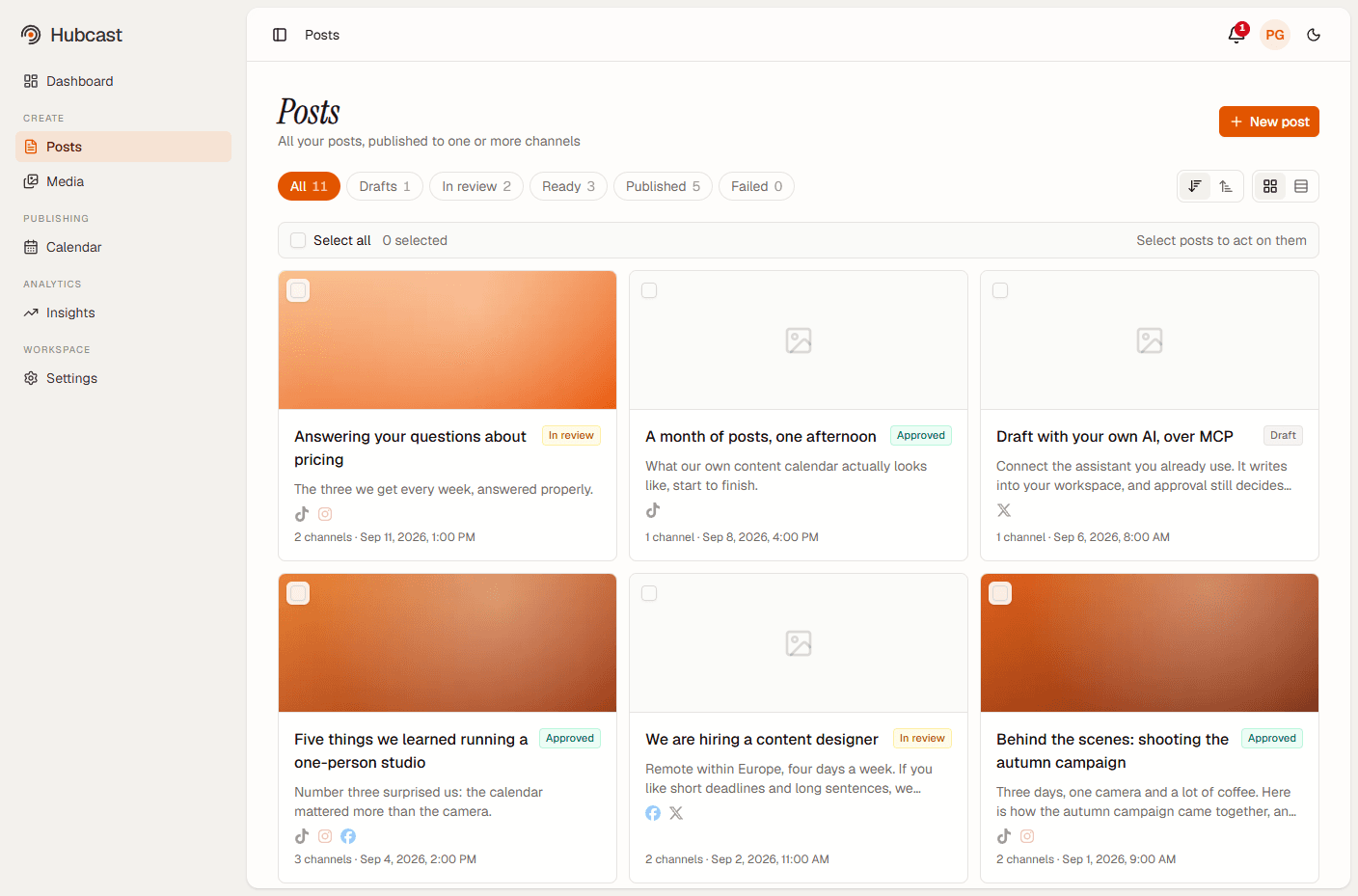
Drafts, reviewers and admins, with separation of duties: a reviewer cannot approve their own post, only someone else's. An admin can override, which is what keeps a small workspace workable. Submitting puts a post in a shared review queue and notifies the approvers; a decision notifies the author back.
Approval is off until you turn it on. A single-person workspace never has to touch it, and a team that needs a second pair of eyes before anything reaches a company page gets that without a spreadsheet or a Slack thread standing in for it.
Every post with its channels and where it is in the approval flow.
One calendar for everything scheduled
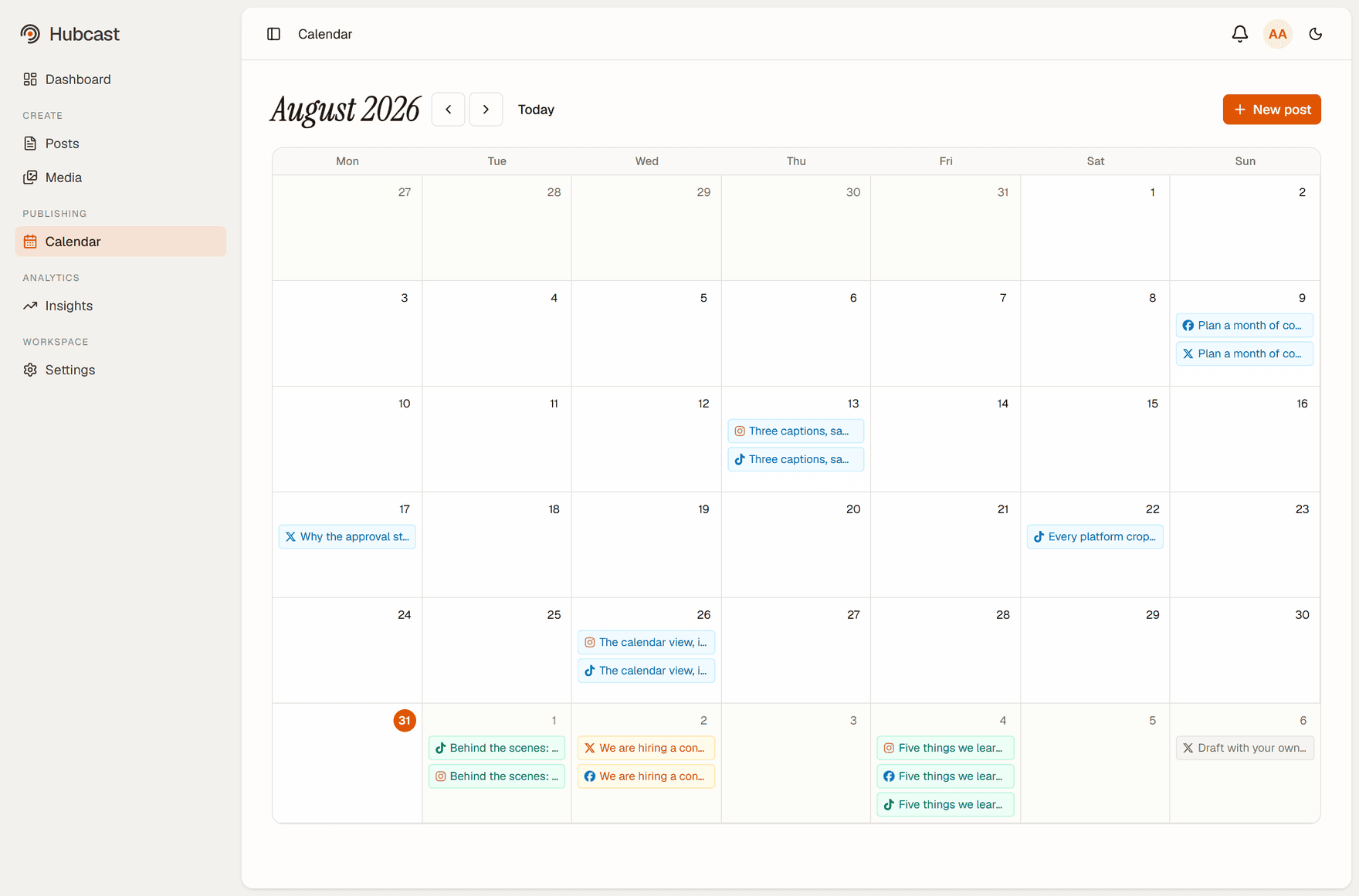
Everything queued across every channel, on one calendar, so the question "what's going out this week" has one answer instead of five tabs. Approved posts publish on their own at the scheduled time — nobody has to be at a desk.
Scheduling is idempotent: a post that has published cannot publish twice, even if the publishing run overlaps itself.
A month across every channel, colour-coded by status — published, approved, or still waiting on a reviewer.
Video, with the crop each platform applies
Upload once and publish video to every channel that takes it. Each platform crops and re-encodes differently, and the preview shows the crop that one will actually apply — before you find out from the published post.
File size and duration limits are checked up front against each destination's real rules, so an upload that a platform would reject is caught while you can still do something about it.
Analytics without five dashboards
Followers, impressions, engagement and your top posts, pulled from each platform's own API and shown side by side. It answers the question a small marketing team actually has — which of these posts worked — without exporting anything.
Numbers come straight from the platforms, so they match what each channel's native dashboard reports rather than a re-derived figure of our own.
Bring your own AI, over MCP
Optional, and not a chatbot bolted onto the sidebar. Hubcast exposes an MCP server, so Claude — or any MCP-capable assistant — can draft straight into your workspace using your brand voice and templates.
Everything an assistant creates lands in the same queue as everything else, and the approval switch decides what happens next. Turn it on and only a person can publish — the connection refuses, whoever is operating it. Leave it off and an assistant can publish, which is the point for a one-person workspace.
A media library, not an upload field
Images and video live in the workspace, so the same asset can be reused across posts and channels without being re-uploaded and re-encoded each time. An upload interrupted halfway is cleaned up rather than sitting in storage forever.
Roles, invites and audit trail
Invite colleagues, give them a role, and see who did what: every approval decision and every administrative change is recorded. A Team workspace holds up to 10 people.
Running several brands or clients? Each brand is its own workspace with its own connections, plans and members — being invited into someone else's workspace never changes your own.
Every plan includes all of it.
Nothing above is gated behind a tier. The plans differ only in how many of you share the workspace.