Integration

Publish to TikTok from Hubcast.

Draft it, schedule it, route it through approval, and let it publish — with every setting TikTok requires chosen before it goes out.

Currently in beta

Everything on this page is built and working. TikTok publishing is open to workspaces we grant access to while TikTok reviews our app, so it is not yet switched on for every account — the other channels are. Ask us for access and we’ll turn it on for your workspace.

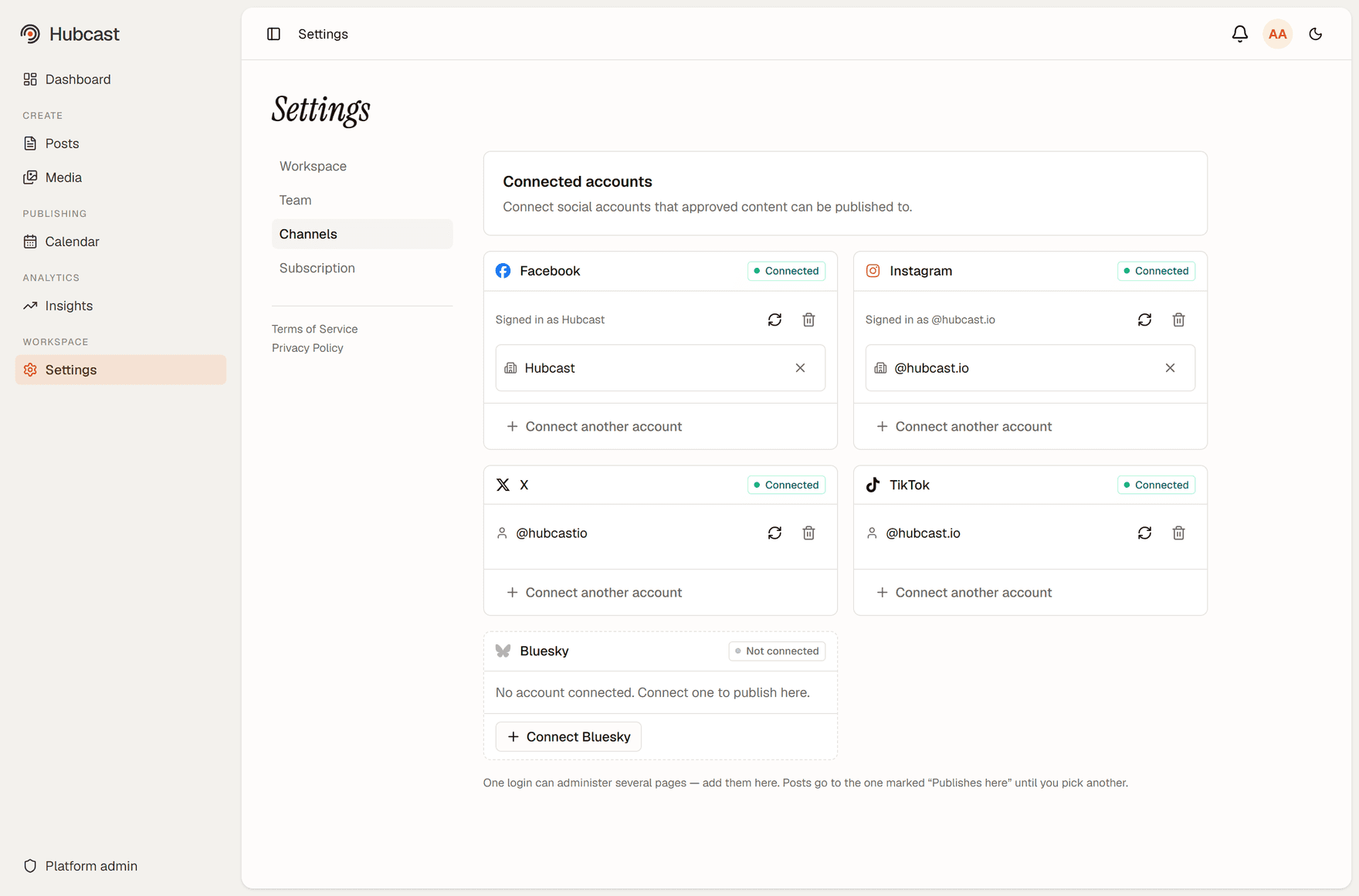
Hubcast's connected accounts screen with a TikTok account connected, alongside Facebook, Instagram and X.
A TikTok account connected in Hubcast, alongside the other channels.

Video and photo posts

Upload a video or up to ten images and publish them to a connected TikTok account. File size and duration are checked against TikTok's own limits before the post is queued, so a file TikTok would reject is caught while you can still swap it.
Visibility and interaction, per post

Who can see the post — everyone, followers, friends or only you — and whether comments, Duet and Stitch are allowed. TikTok requires these to be chosen for each post rather than defaulted, and Hubcast refuses to publish until they are. Options the account itself has turned off are shown as unavailable rather than silently ignored.

Commercial content disclosure

Mark a post as promoting your own brand or as a paid partnership, and the composer shows the exact label TikTok will apply — "Promotional content" or "Paid partnership" — before it goes out. Branded content cannot be published as "Only me", and the form says so rather than letting the publish fail at TikTok.

Publish directly, or send a draft to your inbox

Direct publishing puts the post out at the scheduled time. The alternative sends it to your TikTok inbox at that time instead: you tap the notification and finish it in the TikTok app, where the sounds and effects live. Useful when the caption and timing are decided in advance but the edit isn't.

Scheduled alongside everything else

TikTok posts sit on the same calendar as the rest of your channels, and publish on their own at the planned time. A post that has published cannot publish twice, even if a publishing run overlaps itself.

Approval before anything reaches TikTok

Turn the approval step on and a TikTok post has to be signed off by someone other than its author before it can publish. Every decision is recorded. Leave it off and a one-person workspace publishes straight away.

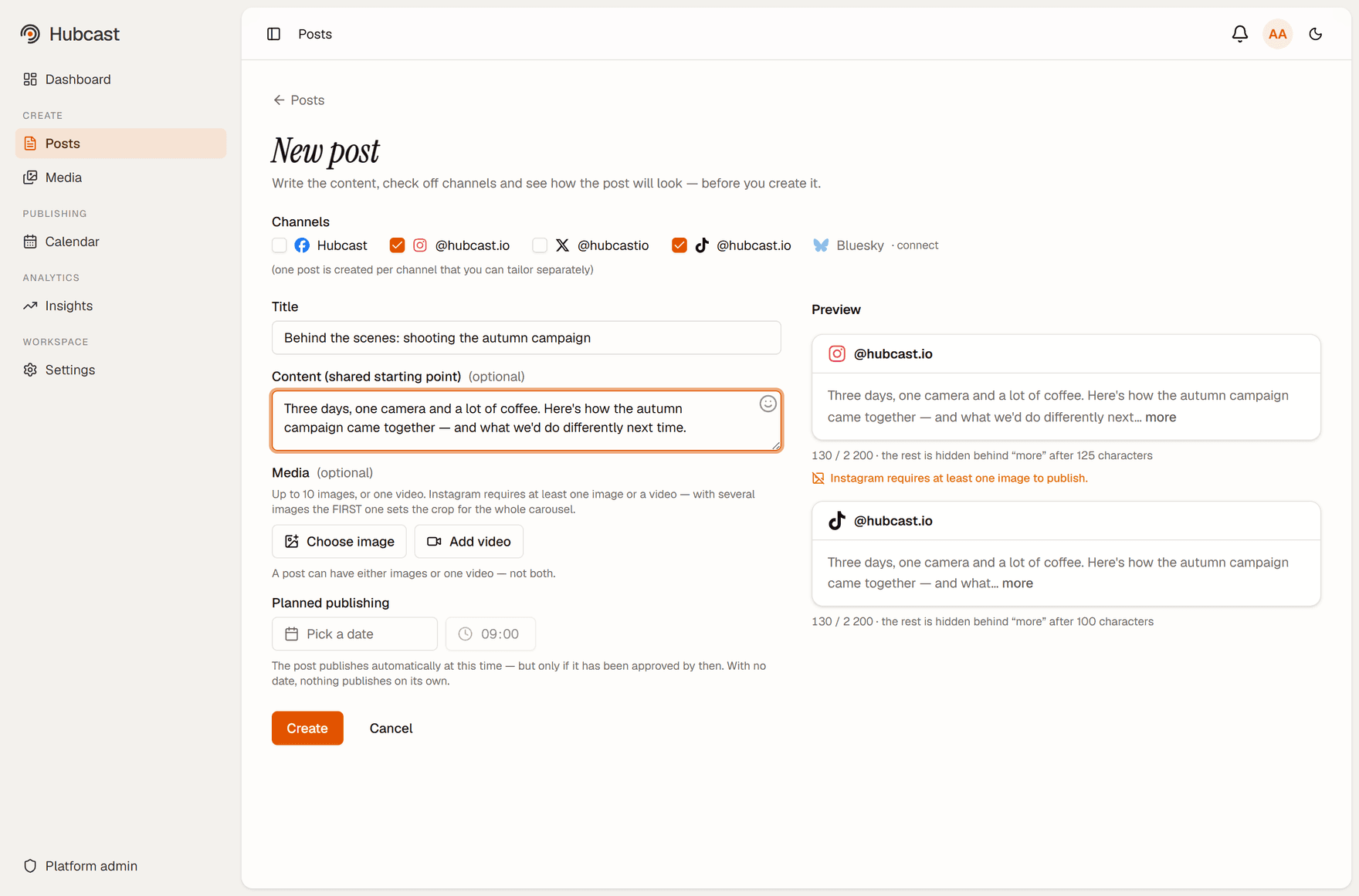
The Hubcast composer with TikTok checked as a destination, showing the shared content field, media options and planned publishing time.
Writing a post for TikTok and Instagram at once — each channel can then be tailored separately.
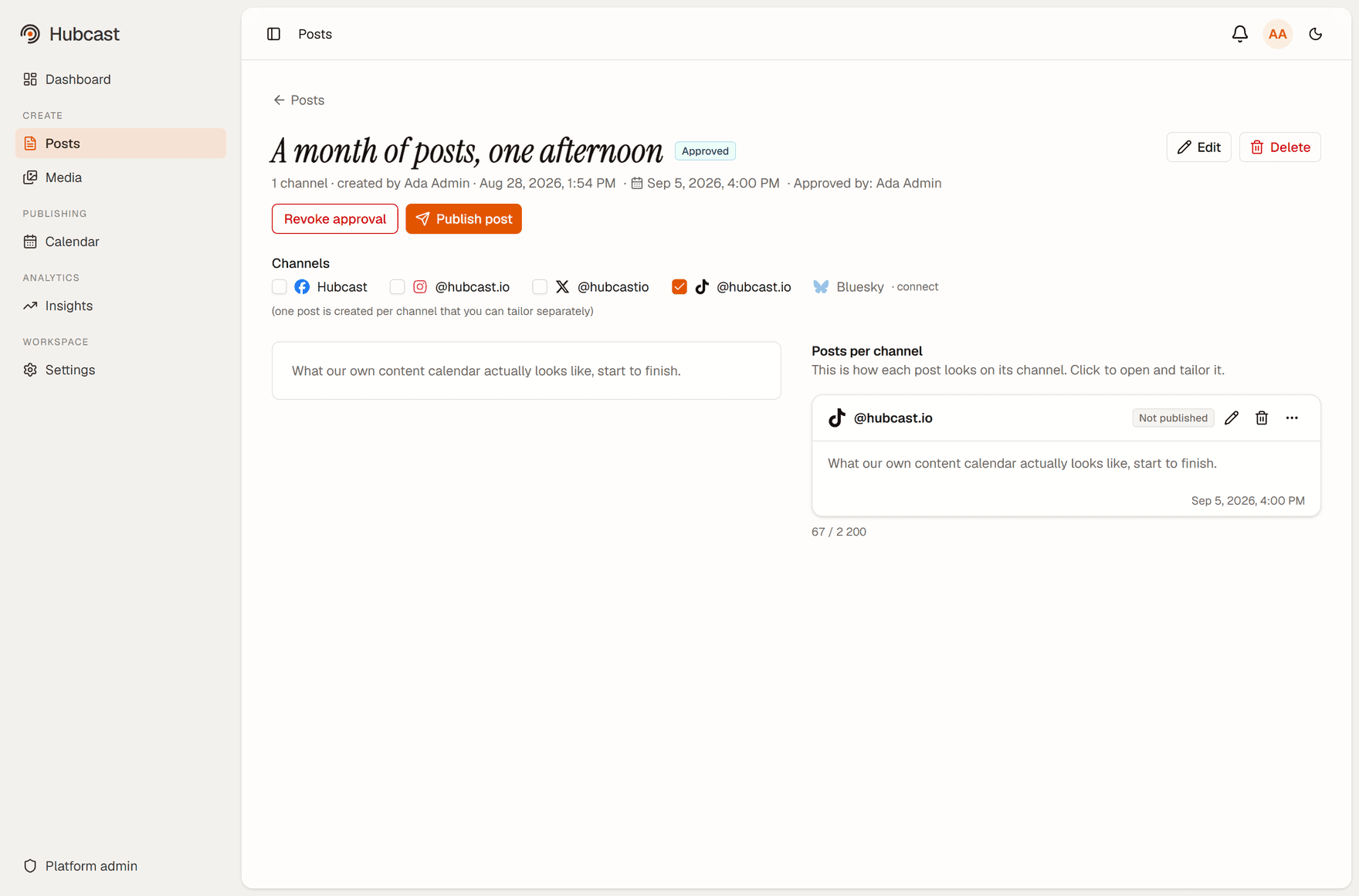
A TikTok post in Hubcast, approved and scheduled, with its own per-channel card showing the caption and publish time.
An approved TikTok post waiting for its scheduled time, with the TikTok-specific settings on its own card.

Your data and your account

Hubcast holds the access token for the TikTok account you connect, encrypted at rest, and uses it only to publish what you schedule and to read the statistics for posts it published. Disconnect the account and the token is deleted. Our use of TikTok’s API follows the TikTok Developer Terms of Service.

One hub for every channel.

TikTok is one of six. The same composer, calendar and approval step cover the rest.